
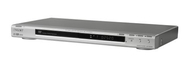

Sony DVP NS50P/S

Sony DVP NS50P/S
alaScore 73

65 reviews

May, 2013

We have collected and analyzed 65 user reviews from international sources. Users rate it 75/100. The average review date is Apr 18, 2006. We have compared these reviews to 104378 reviews from other DVD Players. The alaScore™ for this product is 73/100 = Good. Last update: May 25, 2013.

Review analysis

(Based on 65 reviews)

User Reviews  

Showing 1 - 10 of 65 Show Reviews: in English

Consumer review by:

Sony DVP-NS50P/S DVD Player


Plays anything you throw at it flawlessly.

Remote is a bit clumsy to use.

Consumer review by:

DVDr Heaven


Plays anything you throw at it flawlessly.

Remote is a bit clumsy to use.

Consumer review by:

Great Value


I have had this unit about a year now and it has perfomed flawlessly. It has a low profile. Runs cool. Has played every disc I have thrown at it - DVD-R, DVD+RW, CDR, VCD. It even plays some discs that my RCA and Goldstar units refuse. The remote ......

Excellent Performance. Easy Remote

None observed

ADVERTISEMENT

Consumer review by:

Economically Awesome.........


I went with the non-HDMI version because several sales associates at Best Buy said the more expensive HDMI did nothing for the picture. One Best Buy Sales Associate told me, and I quote, "If you just want to be cool and tell your friends you have an...

Light, small, ease of use

Could not find any

Consumer review by:

Sony DVP-NS50P/S DVD Player


Consumer review by:

Worked for just over 1 year, then wouldn't play


Worked for just over 1 year, then wouldn't play

I see most of the reviews look good, so I think I just ended up with the faulty one. Had the machine for just over a year and then 2 days ago it stopped playing DVDs. I thought it was a bad NetFlix DVD, but tried numerous and still get the same...

Consumer review by:

PIECE OF JUNK FROM SONY!!!!


PIECE OF JUNK FROM SONY!!!!

DO NOT WASTER YOUR MONEY ON THIS MACHINE....LOADING LOADING LOADING IS ALL IT SAYS AFTER ONE YEAR OF LIGHT USE.....ALSO ANOTHER 5 DISC CD/DVD PLAYER DOES THE SAME FROM SONY....YES SONY THE ONE AND ONLY "NOT TOO BUY"

Consumer review by:

Slow but plays all DVD's


Slow but plays all DVD's

This DVD player plays all sorts of DVD's and that is the best part. It is a little slow in turning on and loading. Other than that no complaints.

Consumer review by:

1 Year Disposable DVD Player


1 Year Disposable DVD Player

Played with some idiosyncratic tendencies for one year. Worked around it's temprament until the "CANNOT PLAY" message displayed and it never played another DVD after that.

Consumer review by:

Poor quality, slow operation, annoyingly restrictive


Poor quality, slow operation, annoyingly restrictive

This is the most frustrating-to-use DVD player I've ever owned or operated. It's slow to load DVDs, slow to respond to commands (either from the remote or directly pushing buttons on the player itself), and most annoyingly, it has extremely restrictive...

Product Specifications

Past generations of Precision Drive were only able to compensate for warped discs by moving the entire optical block, which took more time and limited the amount of correction possible. Sony's new Precision Drive 3 system simplifies the process by moving the lens-instead of the entire optical block-for faster and more accurate error correction. Other DVD players detect image changes at the scan line level-Sony's Precision Cinema Progressive (PCP) system detects them at the pixel level. The picture is more faithful to the source-whether film or video-because separate, optimized algorithms are used to handle the differing pixel behavior. Separate algorithms are also used to process the moving and still parts of an image, resulting in sharp backgrounds with moving objects that are virtually free from motion artifacts. Playing MP3 Music on a Sony DVD player is easy. Just insert an MP3 encoded disc and press MENU. A blue screen pops up to display your folders. Scroll down the list using the remote or front panel cursor control to select the folder you want. The green files screen pops up to show the files in the selected folder. Select the file you want to hear and you're done. Finding music couldn't be easier.
ADVERTISEMENT
ADVERTISEMENT