
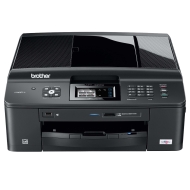


Brother MFC J 625 DW

alaTest has collected and analyzed 108 reviews from magazines and websites. Opinions about the multifunction and print quality are overall positive. The performance and usability are also appreciated.

value for money, usability, performance, print quality, multifunction

We analyzed user and expert ratings, product age and more factors. Compared to other Printers the Brother MFC J 625 DW is awarded an overall alaScore™ of 88/100 = Very good quality.

Review analysis

(Based on 108 reviews)

Expert Reviews  

User Reviews  

Showing 100 review(s)

Expert Reviews User Reviews
Showing 1 - 10 of 100 Show Reviews: in English | in other languages (11)

Expert review by:

Brother MFC-J625DW Review


Brother has been manufacturing multi-functional printers for quite some time now and this time is the release of an exclusive fast printer aimed at small office and home segments—the MFC-J625DW. Let's check out what this MFP has to offer.

To sum up the whole experience with the MFC-J625DW, we assume that the printer is pretty feature rich with the functionalities, print speeds and quality. What we found disappointing is the absence of an Ethernet port for connecting the printer to a...

Expert review by:

Brother MFC-J625DW Review: Low-Cost, High-Performance MFP


At $130, the Brother MFC-J625DW color inkjet multifunction printer (print/copy/scan/fax) is a surprisingly good deal for a home or for a very small, low-volume office. It's one of the cheapest color inkjet MFPs we've run across that features automatic...

Automatic two-sided printing ; Two-year warranty ; Affordable

No two-sided scanning

Very small offices or home offices will like the MFC-J625DW's swift speed, duplex printing, and two-year warranty, but paper handling is limited.

Expert review by:

Brother MFC-J625DW


The MFC-J625dw can print, copy, scan, and fax. It can fax either from a computer (PC Fax), or work as a standalone fax machine. It has media-card slots for SD and Memory Stick formats, and a port for a USB thumb drive or PictBridge-enabled camera. The...

Fast at business printing. PC Fax. Standalone fax

Slightly sub-par photos and graphics. Lacks an Ethernet port

The Brother MFC-J625dw MFP has a lot to offer a home office or micro office, at a fairly modest price.

ADVERTISEMENT

Expert review by:

Brother MFC-J625DW Review


The Brother MFC-J625DW is an inkjet all-in-one (AIO) with wireless connectivity and a compact form factor.

Quick print speeds ; Simple wireless setup ; Useful control panel with lots of features

Not compatible with some glossy photo paper ; Colors in photos aren't as vibrant and bright ; Inflated advertised print speeds

Consumer review by:

Amazon review summary for the Brother MFC J 625 DW


alaTest has collected and analyzed 52 user reviews of the Brother MFC J 625 DW from Amazon.com. The average user rating for this product is 3.5/5, compared to an average user rating of 3.5/5 for other products on Amazon.com.

value for money, usability, performance, print quality, paper handling

54% of reviews on Amazon.com give this product a positive rating.

Consumer review by:

does all the expected jobs


very fast software. wireless setup is not straightforward

it does all the expected jobs in this price (i got it with discount). print and scan wirelessly from my nb and phone. buy a CIS and it will be a budget all-in-one printer

with this price, none so far

Consumer review by:

Burns through INK


1) Not suitable for photo print. Very poor quality.

Easy to Set Up

Pricey/Poor Value, Quality, burns through ink, wont print on low ink, poor photo print quality

Consumer review by:

Okay, but.......


Works fine, but....Had a heck of a time getting this printer to hook-up to my wireless router.Too complicated for my tastes; I would have preferred a 2 or 3 step "auto-link" type of program, instead of the tedious manual entries I had to do....I ended...

Consumer review by:

Great Purchase


the very first printer that I bought was a brother MFC 420. That was about 5 years ago. Ink was getting hard to find so I decided on upgrading to a new printer. I saw this one and bought it. I bought it mainly for it's features which were the same as...

Consumer review by:

Good Quality


Although this machine puts out a fairly good quality product it was a little hard in getting set up, I had to have an IT man come in to get tit going for me. Additionally I was not happy with the amount of printing I was able to get out of the factory...