
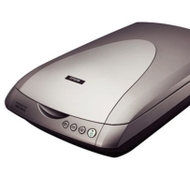

Epson Perfection 4180 Photo Scanner

Epson Perfection 4180 Photo Scanner
alaScore 79

70 reviews

May, 2013

We have collected and analyzed 6 expert reviews and 64 user reviews from international sources. Experts rate this product 80/100 and users rate it 69/100. The average review date is Nov 29, 2005. We have compared these reviews to 55163 reviews from other Scanners. The alaScore™ for this product is 79/100 = Good. Last update: May 24, 2013.

Review analysis

(Based on 70 reviews)

Expert Reviews  

User Reviews  

Showing 1 - 10 of 55 Show Reviews: in English | in other languages (15)

Expert review by:

Epson Perfection 4180 Photo


This high-resolution scanner combines impressive image quality and features with a reasonable price.

This versatile scanner provides state-of-the-art image enhancement and wins hands down in its ability to batch-scan 35mm slides.

Expert review by:

Epson Perfection 4180 Photo


Add the Epson Perfection 4180 Photo ($250 street) to the small but growing list of flatbed scanners that takes film scanning seriously. It's designed, in part, to scan not just 35-mm slides and film but medium-format film, including 2.25-inch, 120, and...

Better scan quality than most flatbed scanners, particularly for slides. Color restore feature for faded photos. Claimed 4,800 pixel-per-inch (ppi) optical resolution

Dust and grain reduction features work with film only. OCR program had trouble reading Times New Roman fonts

The Epson Perfection 4180 Photo scanner offers better photo scan quality for both prints and film than most flatbed scanners. And the claimed 4,800-ppi optical resolution is more than most people will ever need. We've seen as good or better scans from...

Expert review by:

Epson Perfection 4180 Photo scanner


Launched at the Photokina, Epson unveils the latest addition to its comprehensive range of scanners, the Epson Perfection 4180 Photo. Aimed at amateur photographers and home photo enthusiasts who are looking for professional quality and performance,...

ADVERTISEMENT

Consumer review by:

Good scanner


I bought this scanner refurbished 3 years ago, and it's still going strong. I have used this scanner for negatives, positives, and standard reflective media, and this scanner does well with whatever media you throw at it. The front buttons work in the ...

Good scan quality, transparent material scanning

Noisy

Consumer review by:

It may have been a great scanner


It may have been a great scanner

It may have been a great scanner if it wasn't always out of stock every time I tried to order one. Jody Bissoon

Consumer review by:

Decent scanner at a nice price


My previous scanner had worn itself out, with quotes for fixing it well over $100. My scanner doesn’t get a lot of use, particularly with an ability to print to .PDF, but It’s still helpful for scanning and emailing signed documents and ...

Nice functionality for what I paid

having a printer and scanner takes up a lot of room

Consumer review by:

Used to be great, but now an anchor....


Used to be great, but now an anchor....

I used this scanner for over two years without as much as a hickup, it was much better than the huge HP flatbed I had before. Then I reimaged my HD, reloaded XP (the same I had before)and updated to SP2 from the microsoft website. The packaged software...

Consumer review by:

Once more in unison: "mine broke with no warning"


Once more in unison: "mine broke with no warning"

Bought this refurbished from the Epson website. It worked fine for about a year (light use), then whammo, one fine morning the pulley mechanism failed. A well conceived device but poorly manufactured.

Consumer review by:

Repair the Epson 4180 Flatbed Scanner Yourself


Easily fixed by someone with basic handyperson skills.

Epson really should buy the two screws required to fix this thing permanently. 5 cents?

Consumer review by:

Repair the Epson 4180 Flatbed Scanner Yourself


Here is how to repair the broken pully mount: Read completely before beginning. Tools and parts needed: Small phillips screwdriver, 2 small flat-head screws (self-tapping pan-head with a head that is 1/4" in diameter and shank 3/8" long will work ...

Easily fixed by someone with basic handyperson skills.

Epson really should buy the two screws required to fix this thing permanently. 5 cents?

Product Specifications

Offering superior image quality and performance, the Epson Perfection 4180 Photo delivers a remarkable value. True 4800 x 9600 dpi with Micro Step Drive technology ensures precision clarity and color. And, with powerful one-touch color restoration and dust removal capabilities, anyone can easily restore faded color photos, slides and negatives. The convenient built-in transparency unit enables users to scan multiple 35mm negatives, slides, or medium format transparencies. The Epson Perfection 4180 Photo offers fully automatic scanning for increased productivity, plus two advanced scanning modes for greater control. With all that, plus a full-featured photo software solution, including Adobe PhotoShop Elements 2.0, this powerful performer makes it easy to achieve high-quality scans from virtually any original, for stunning color reprints and enlargements. And, with Hi-Speed USB 2.0, the Epson Perfection 4180 Photo speeds through every scan, so as not to delay one's creativity. Compatible with both Windows and Macintosh systems, this scanner provides an unbeatable solution for any task or project. When partnered with an Epson Stylus ink jet printer, the Epson Perfection 4180 Photo offers the perfect choice for creating brilliant images that last.

Dimensions & Weight

Depth:18in
Height:4.6in
Weight:8.6lbs
Width:10.9in

Header

Compatibility:Mac / PC
Manufacturer:Epson
Model:4180 Photo
Packaged Quantity:1
Product Line:Epson Perfection

Scanner

Color Depth:48-bit color
Form Factor:Desktop
Grayscale Depth:16-bit (64K gray levels)
Input Type:Color
Interface Type:Hi-Speed USB
Max H-Optical Resolution:4800dpi
Max Supported Document Size:8.5 in x 11.7 in
Max Supported Media Size:8.5 in x 11.7 in
Max V-Optical Resolution:9600dpi
Supported Document Type:Transparencies / Plain paper / Slides / Film
Supported Media Type:Film / Plain paper / Slides / Transparencies
Type:Flatbed scanner

System Requirements

OS Required:Apple MacOS 9.1 - 9.2.2 / Apple MacOS X 10.2.x or later / Microsoft Windows 98SE/2000/ME/XP
ADVERTISEMENT
ADVERTISEMENT