
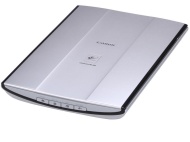

Canon CanoScan LiDE 200

Canon CanoScan LiDE 200
alaScore 86

553 reviews

May, 2013

We have collected and analyzed 9 expert reviews and 544 user reviews from international sources. Experts rate this product 74/100 and users rate it 85/100. The average review date is Apr 4, 2009. We have compared these reviews to 55112 reviews from other Scanners. The alaScore™ for this product is 86/100 = Very good. Last update: May 19, 2013.

Review analysis

(Based on 553 reviews)

Expert Reviews  

User Reviews  

Showing 1 - 10 of 322 Show Reviews: in English | in other languages (242)

Expert review by:

Review: CanoScan LiDE200 flatbed scanner


This flatbed scanner is speedy and affordable.

Offering 4800 dpi optical resolution and 48-bit color scans, the LiDE 200 can handle originals up 8.5 by 11.7 inches. It offers no transparency scanning capabilities

Expert review by:

Canon CanoScan LiDE 200


The Canon CanoScan LiDE 200 has a fast USB port so it scans high-density images quickly. At 4,800 x 4,800dpi, it has better image resolution than the Xerox 7600. However, the majority of competitors in the entry-level scanner market support 4,800 x...

One year of toll-free telephone includes telephone device for the deaf

Product does not support transparencies or Optical Character Recognition

ENERGY STAR qualification does not atone for the shortcomings of this flatbed scanner.

Consumer review by:

The best Scanner I have ever owned & the cheapest


Very easy to use scanner. but don't try to hook it up to a USB Hub!

Very easy setup, Makes great color copies. very easy to scan docs to computer

The USB cable that it comes with is to short

ADVERTISEMENT

Consumer review by:

Great scanner!


For the average user, this scanner will do fine. Works with Vista and W7 64-bit.

Compact ; Quiet ; Inexpensive ; Works with Windows 7 64-bit

Bundled software could be better

Consumer review by:

Not impressive. Look elsewhere.


I have used scanners since 1991. I have used cheap (as cheap as they get) scanners and I have used extremely expensive scanners. This scanner is not impressive, in fact it is one of the worst scanners I have ever used. I have owned much cheaper...

Very small, light and very easy to install. Software is OK and not complicated to use. Decent but dated styling ; Target user: older people with bad eyesight and fat wallets

Noticeable vertical banding throughout the scanned images about 3 pixels wide ; Canon boasts 48bit color depth, but this is either a blatant lie or a well hidden feature ; Mechanical sound is a little harsh ; Not the fastest scanner out there

Consumer review by:

Not impressive. Look elsewhere.


I have used scanners since 1991. I have used cheap (as cheap as they get) scanners and I have used extremely expensive scanners. This scanner is not impressive, in fact it is one of the worst scanners I have ever used. I have owned much cheaper...

Very small, light and very easy to install. Software is OK and not complicated to use. Decent but dated styling ; Target user: older people with bad eyesight and fat wallets

Noticeable vertical banding throughout the scanned images about 3 pixels wide ; Canon boasts 48bit color depth, but this is either a blatant lie or a well hidden feature ; Mechanical sound is a little harsh ; Not the fastest scanner out there

Consumer review by:

Great unit for the money.Win Xp 64 bit users will like!


4 buttons make this unit easy and fun to use.You can scan in a document or photo and preview it on your monitor with no problems at all. The copy function works fast,and sends a crisp-sharp image to the printer.The email function lets you copy and...

Easy to use and will work with XP 64 bit with some downloading from the Canon ; site. Load drivers first,then hook up scanner with one usb cable and you are done

Windows XP Pro 64 Bit users will have to download drivers and associated software from the Canon support site. This scanner will not scan film negs. and will ; only scan one page at a time.No accessories are available as of today

Consumer review by:

Canon LiDE200 Color Scanner


The scanner arrived on time and was as advertised. It was easy to install and use. The scanner is very compact and light. I can see where it would be of interest to those with a laptop. We have an iMac with the latest version of Mt. Lion (OS X). Just...

Consumer review by:

Poor Construction, Low Durability


I previously owned a Canon LIDE 80 Scanner. When I upgraded to Windows 7 64bit, the scanner was not compatible with the Operating System. As a result, I had to replace the scanner. I purchased the LIDE 200 scanner and right away noticed the flimsy...

Consumer review by:

Excellent scanner


I love this scanner. It's incredibly easy to use and the images are great quality. It's also very light, but large enough to scan big photos/paper. Very happy with it!

Product Specifications

How easy is this? Just select what you want to do with your original-scan, copy, or create email attachments or PDFs-and the entire process is automated. The new Auto Scan Mode detects your type of original, then scans and saves it with the optimal settings. Your results will be outstanding, with color dpi resolution up to 4800 x 4800, and you can also create fabulous 19200 x 19200 software-enhanced interpolated scans. Plus, a letter-sized color scan takes only about 14 seconds. The Advanced Z-Lid lets you produce clear, complete scans of thick originals such as notebooks. And to reduce "cable clutter," one simple cable provides power and a USB 2.0 Hi-Speed connection.

Dimensions & Weight

Depth:14.2in
Height:1.6in
Weight:3.5lbs
Width:9.8in

Header

Compatibility:Mac / PC
Country Kits:Australia / New Zealand
Manufacturer:Canon
Model:LiDE 200
Packaged Quantity:1
Product Line:Canon CanoScan

Miscellaneous

Microsoft Certification:Certified for Windows Vista
Vista Certification:Certified for Windows Vista

Scanner

Automatic Duplexing: None
Color Depth:48-bit color
Document Feeder Type:Manual load
Form Factor:Desktop
Grayscale Depth:16-bit (64K gray levels)
Input Type:Color
Interface Type:Hi-Speed USB
Max H-Optical Resolution:4800dpi
Max Supported Document Size:8.5 in x 11.7 in
Max Supported Media Size:8.5 in x 11.7 in
Max V-Optical Resolution:4800dpi
Media Feeder Type:Manual load
Supported Document Type:Plain paper / Bulk objects (such as books) / Business card
Supported Media Type:Bulk objects (such as books) / Business card / Plain paper
Type:Flatbed scanner

Service & Support

Type:1 year warranty

System Requirements

OS Required:Apple MacOS X 10.2.8 or later / Microsoft Windows 2000 Professional / Microsoft Windows 98 / Microsoft Windows Millennium Edition / Microsoft Windows Vista / Microsoft Windows XP Home Edition / Microsoft Windows XP Media Center Edition 2004 / Microsoft Windows XP Professional/Apple MacOS X 10.3.9 - 10.5 / Microsoft Windows 2000 / Microsoft Windows Vista / Microsoft Windows XP
ADVERTISEMENT
ADVERTISEMENT